Contents
Disable Remote Management
Remote management is a feature that allows you to access your router’s admin interface from devices not connected to your Wi-Fi network. While this can be convenient for troubleshooting or configuration purposes, it also poses a significant security risk. If a hacker can access your router remotely, they can change its settings to their advantage, including disabling your network’s security features.
Therefore, unless there is a compelling reason to keep this feature enabled, it’s advisable to turn it off. Access your router’s admin interface and look for an option related to remote management or remote access. This is often located under the advanced settings. Disable the feature to ensure that your router’s settings can only be changed from devices connected to your network.
Create A Guest Network

Creating a separate network for guests or occasional users can be an excellent way to enhance the security of your primary network. This is because even if a guest’s device is compromised, the hackers will only have access to the guest network, leaving your main network and all its connected devices safe. Additionally, it prevents guests from accessing shared resources on your primary network, such as network storage devices.
Creating a guest network involves accessing your router’s admin interface and navigating to the guest network settings. Not all routers support this feature, but many modern ones do. When setting up your guest network, ensure it is also secured with a strong password and the highest level of encryption that your router supports.
Regularly Update Your Router’s Firmware
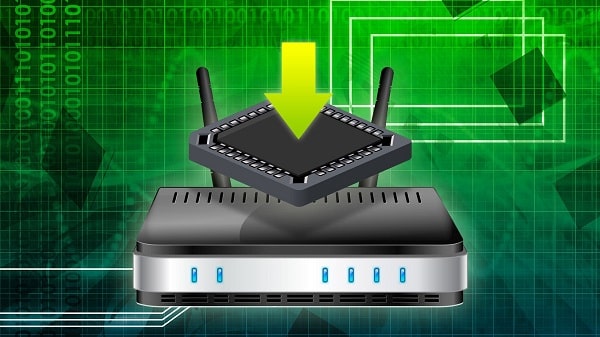
Firmware is essentially the operating system of your router. Just like your computer’s operating system, it needs regular updates to fix security vulnerabilities and introduce new features. Manufacturers periodically release firmware updates to ensure your router’s security, improve its performance, and add new functionalities. Ignoring these updates can leave your network exposed to the latest cyber threats.
To update your router’s firmware, you need to log in to the router’s admin interface. The firmware update option is usually found under the system, administration, or advanced settings, though this may vary by manufacturer. You can typically set your router to automatically update its firmware, a setting you highly recommend enabling. If this option isn’t available, make a habit of checking for updates regularly and applying them promptly.
Use A Network Security Tool

Network security tools can provide an additional layer of protection for your Wi-Fi network. These tools offer various features like real-time network monitoring, intrusion detection, and automatic blocking of suspicious activities. They can identify and alert you about potential threats, giving you a chance to address issues before they cause any harm.
There’s a variety of network security tools available, both free and paid. Some popular ones include Wireshark, Nessus, and Snort. While not all of them may be suitable for average home users due to their complexity, there are user-friendly options available as well. Be sure to do your research and choose a tool that fits your needs and technical ability.
Conclusion
Securing your Wi-Fi network is an indispensable aspect of maintaining your online safety and privacy. From changing default admin credentials and enabling WPA3 encryption to updating your router’s firmware and utilizing network security tools, each step significantly enhances the security of your network. Remember, Wi-Fi network security is not a one-time task but an ongoing process. It’s vital to stay vigilant, regularly review your security settings, and update them as needed to stay ahead of evolving cyber threats. By doing so, you can enjoy a secure and reliable internet experience.