The process of building a pc could be a little daunting for beginners as it requires a deep understanding of how a computer functions or works. You also need to know about the basic components you need to use to create a new PC. Undoubtedly, it’s an exciting way to create your custom made desktop to meet your needs and wants economically. When you end up with a working and functional computer, you have a sense of pride and attachment with your personal computer. If you build your PC with an optimistic mindset and eagerness, you certainly benefit from using it every day.
For beginners building a pc needs a lot of expertise along with a need to go through the building guide. You should determine your purpose of creating a PC beforehand such as, a gaming machine, for web browsing, or to handle some creative work. Whatever the case may be, before making a final decision for purchasing components, you should acquire thorough knowledge about each part along with some tips/ instructions given by the experts.
Contents
What You Need To Know Before Building

Various functioning parts are what make up a computer. If you’re not aware of the process of building a PC or you’re doing it for the first time, you should receive help from a building guide or expert. The components you buy should be perfect and appropriate to fit /suit your model. You can build your PC easily if you choose the right parts, and you need to put them in the correct connections and slots. Even if you are inexperienced in the field, there are companies to guide you and share their expertise to teach you how to create your own PC. You can follow them step by step and build your handmade computer.
Choosing The Right Parts
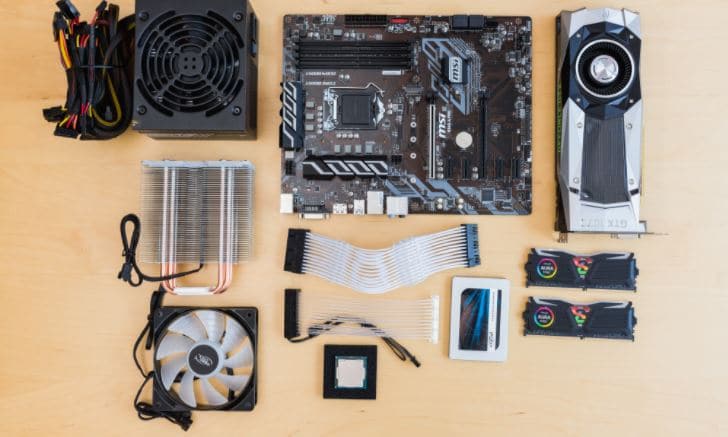
While purchasing parts, make sure that they are compatible with others to avoid damage and other issues. You can check out some parts like Case, CPU GPU, RAM, PSU (power supply ) cables, motherboard, and storage through the guide. You should use an automated tool to double-check any conflicts against a database entered component. Some websites allow comparison between options and warn you against problems detected. So research well and pick the best components that are listed below to build your PC.
Necessary Components
Random Access Memory

It is a sensitive part that needs careful handling. It is also advisable to avoid contact with its pins found under each module. The CPU’s right side on a motherboard holds the RAM slots. Therefore, you should check the motherboard manual to confirm RAM slots usage. For installing RAM, you should unclip the RAM locks found on the motherboard module slots. Secondly, match the motherboard slots with the RAM module notches. Then the module should be inserted carefully across the stick using light even force. Finally, after insertion, push down on both sides of the RAM module. This is how you’ll be able to install memory components.
Computer Case

To mount the motherboard in your case, the first step is to install standoffs. When it comes to preparing your case, standoffs or brass spacers are provided to fit screw holes on the motherboard and avoid touching metal in the computer case. Install each screw on the respective holes and go through the case manual if you find the holes missing.
Expansion Slots
Also known as expansion port or bus slot, they are connections found inside a computer case on the motherboard to allow computer hardware to be connected. You can add an adapter to the riser board. These slots control bits that can be transferred simultaneously, signals sent over the adapter’s connections, and how the adapter is configured.
CPU Cooler
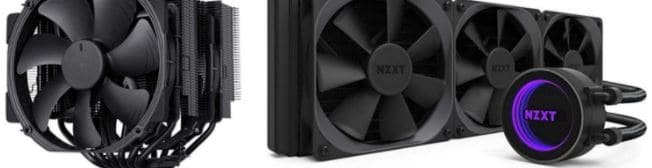
Computer cooling is essential to remove the extra heat produced by components and control temperature during operating. The computer uses these air coolers to reduce the heat produced by the processors inside your PC. The CPU fans, radiators, and few cooling components permit jammed heat energy to smoothly flow away from the computer’s working parts without destroying the hardware. Air coolers have their drawbacks, though. Liquid cooling is preferred to cool the CPU as it helps your PC run quieter than the fans. It can be dangerous sometimes, but an all-in-one liquid cooler offers all benefits. Make sure that the cooler has pre-applied thermal paste.