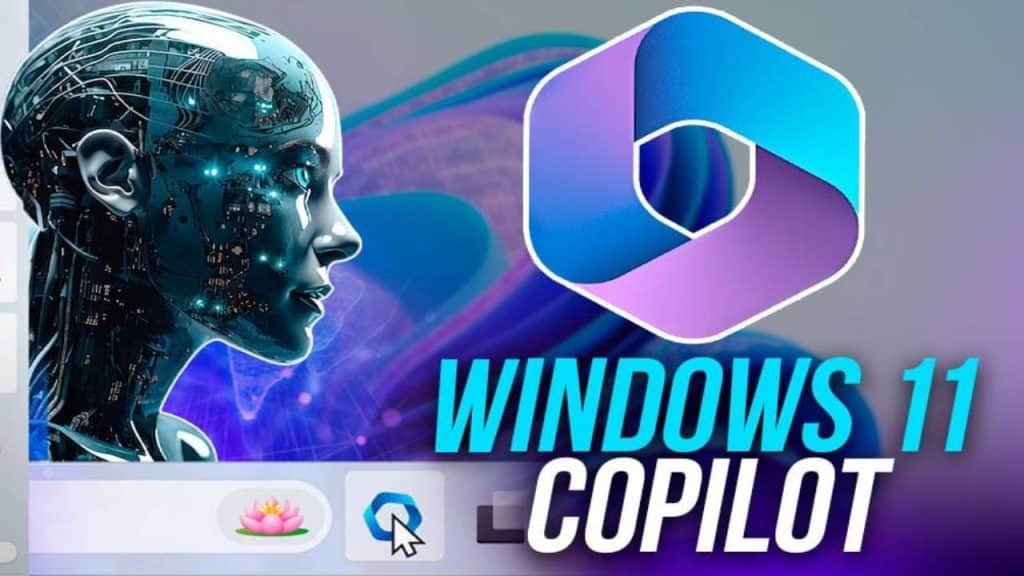
Windows 11 is elevating the user experience with the integration of advanced AI features, prominently showcasing the Copilot feature. This intelligent assistant is crafted to significantly enhance creativity and productivity, seamlessly blending with the operating system’s fabric. By leveraging AI, Windows 11, Copilot offers users a dynamic tool that not only responds to queries but also assists in executing a variety of tasks. Its introduction marks a significant step towards a more intuitive, efficient, and creatively empowering computing environment, setting a new standard for operating systems in the digital age.
Contents
What is Copilot in Windows 11?
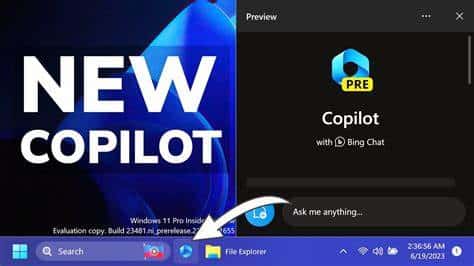
Copilot in Windows 11 is a groundbreaking addition, introducing users to an AI-powered assistant that fundamentally transforms the interaction with the operating system. This feature is designed to offer real-time answers, suggestions, and support across a range of activities, from simple queries to complex project assistance. Copilot serves as a bridge between the user and the vast capabilities of their PC, simplifying tasks and enriching the Windows experience.
Beyond just answering questions, Copilot in Windows 11 actively aids in streamlining workflows and sparking creativity. Whether it’s generating images from descriptions, summarizing extensive documents, or providing step-by-step assistance with Windows settings, Copilot is equipped to handle a diverse array of requests. This versatility showcases Microsoft’s ambition to integrate AI deeply into the user interface, making technology more accessible and engaging for everyone.
Accessing Copilot
Accessing Copilot is intuitively designed to ensure that assistance is just a few clicks or a keyboard shortcut away. Users can find Copilot directly on the Windows 11 taskbar, offering immediate access without the need to navigate through menus or settings. Alternatively, pressing the Windows logo key + C brings up Copilot instantly, showcasing Microsoft’s commitment to efficiency and ease of use.
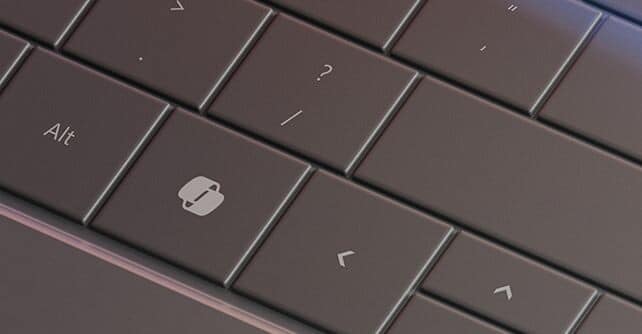
For those with newer keyboards, the Copilot key introduces a novel way to invoke this AI assistant, emphasizing the seamless integration of hardware and software. This dedicated key serves as a direct portal to Copilot’s capabilities, reflecting the importance of physical interaction in the digital experience. Microsoft’s foresight in adding such a feature underlines the evolving relationship between users and their devices, where convenience and accessibility are paramount.
Enhancements in Productivity

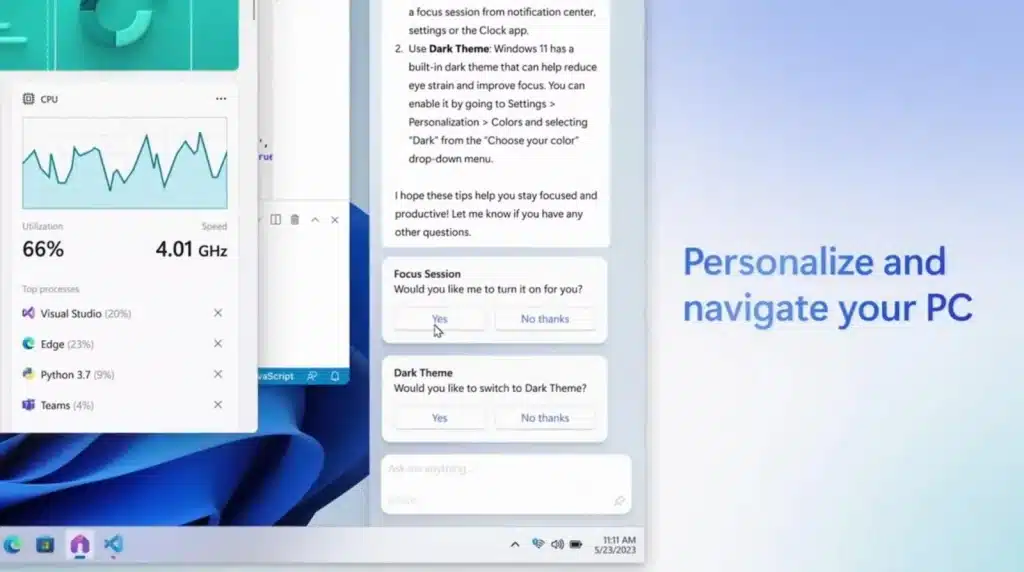
Copilot shines as a beacon of productivity, transforming how tasks are approached and completed within Windows 11. From adjusting system settings to organizing open windows using Snap Assist, Copilot streamlines operations that traditionally required multiple steps. This efficiency not only saves time but also allows users to focus on more important aspects of their work or creative endeavors.
The true value of Copilot lies in its ability to understand and execute a variety of commands, effectively acting as a second pair of hands. Whether it’s managing emails, setting reminders, or assisting with project research, Copilot anticipates the needs of users, offering solutions that are both practical and time-saving. Its presence signifies a shift towards more intelligent and responsive computing environments.
Creativity and Collaboration
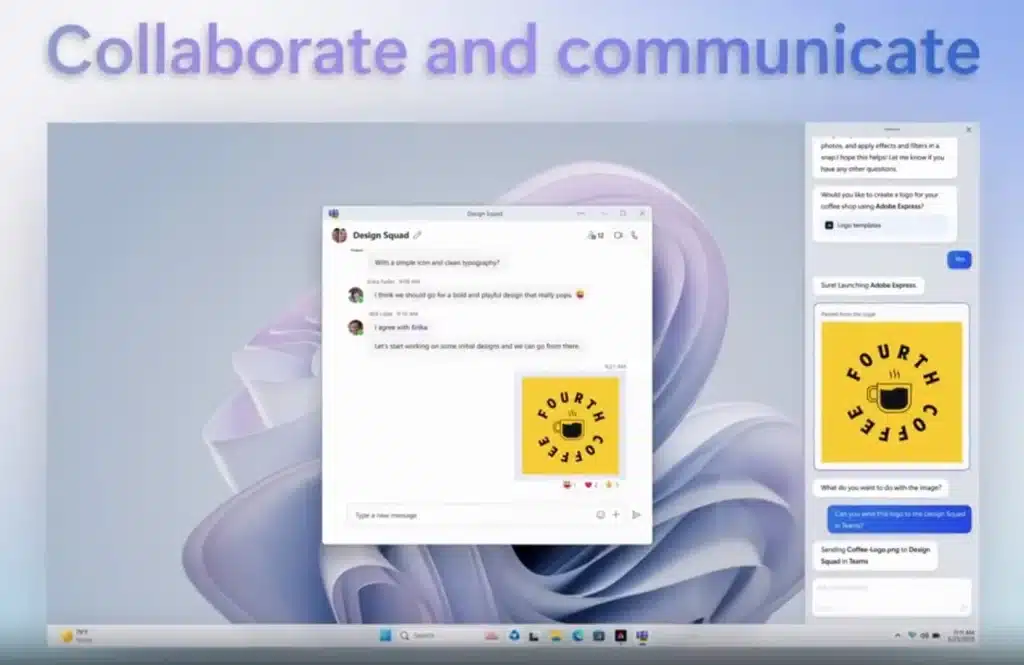
In the realm of creativity, Copilot stands out by providing users with a source of inspiration and a platform for collaboration. It assists in kicking off creative projects with innovative ideas and relevant information, ensuring that users are never at a loss for inspiration. By generating content, such as images or text, Copilot helps bring creative visions to life, making it an indispensable tool for artists, writers, and designers alike.
Moreover, Copilot enhances collaboration by streamlining communication and facilitating the sharing of ideas. Whether working on a presentation, a design project, or brainstorming sessions, Copilot makes it easier to gather input, compile research, and execute tasks. Its integration into Windows 11 means that these capabilities are built directly into the operating system, offering a seamless experience that promotes productivity and creative synergy.
New Features and Capabilities
The introduction of plugins with Copilot has expanded its functionality, making it a more versatile and integrated part of the Windows 11 ecosystem. Now, users can seamlessly interact with their favorite applications directly through Copilot, from making dinner reservations with OpenTable to planning trips with Kayak. This integration signifies a leap towards a more connected and convenient user experience, where Copilot acts not just as an assistant but as a central hub for accessing a wide range of services.
The expansion of Copilot’s skills further enhances its utility, simplifying tasks such as adjusting PC settings, showing system information, or managing accessibility features. Users can now execute complex tasks with simple voice or text commands, making the technology more accessible to a broader audience. These new capabilities are designed to reduce friction and make daily tasks more manageable, highlighting Microsoft’s commitment to continuously evolving Copilot’s functionalities to meet the diverse needs of its users.
Copilot for Developers
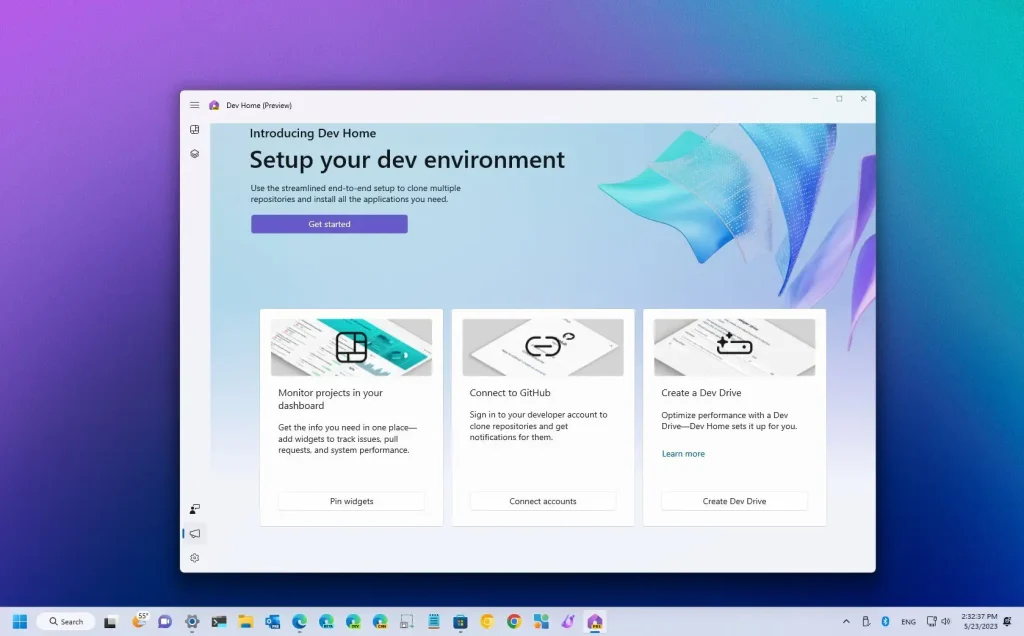
For developers, Copilot in Windows 11 is not just a productivity tool but a gateway to more efficient and streamlined development processes. With features like Dev Home, Microsoft has provided a dedicated space for developers to manage their workflows, access essential tools, and connect to services like GitHub with ease. This environment is tailored to reduce setup times and improve the overall development experience, enabling developers to focus more on coding and less on configuring their workspaces.
Additionally, the integration of ONNX Runtime and Olive offers developers the tools needed to optimize their applications for AI, ensuring that they can leverage the full potential of Windows 11’s AI capabilities. These tools simplify the process of deploying AI models into applications, making it easier for developers to create more intelligent, responsive, and engaging software. The focus on developer productivity and AI integration underscores Microsoft’s vision for a future where AI plays a central role in software development and user experience.
AI-Powered Features in Windows 11
Beyond Copilot, Windows 11 is enriched with a suite of AI-powered features that enhance various aspects of the user experience. Tools like the updated Paint and Photos apps leverage AI to offer advanced editing capabilities, allowing users to edit photos and create artwork with unprecedented ease. Similarly, the Snipping Tool’s AI enhancements enable more efficient text extraction and editing from screenshots, showcasing how AI can simplify everyday tasks and foster creativity.
These AI-powered features are indicative of Microsoft’s broader strategy to embed AI across the Windows 11 platform, providing users with smarter, more intuitive tools. From creative endeavors to productivity boosts, these features demonstrate the potential of AI to transform how we interact with our computers. As Windows 11 continues to evolve, these AI enhancements will play a pivotal role in shaping a computing experience that’s more aligned with users’ needs and expectations.
The Future of Windows and AI
Looking ahead, the trajectory for Windows and its AI capabilities is promising. Microsoft’s continuous investment in AI research and development suggests that future versions of Windows will offer even more sophisticated AI features, further blurring the lines between technology and human interaction. Copilot’s ongoing improvements, along with enhancements to other AI-powered tools, are poised to make Windows a truly intelligent platform that adapts to and anticipates the needs of its users.
The potential for AI to revolutionize the Windows operating system is vast. From making everyday tasks more manageable to unlocking new realms of creativity and productivity, the integration of AI into Windows 11 is just the beginning. As Microsoft continues to innovate and push the boundaries of what’s possible with AI, users can look forward to a future where their computing experience is more personalized, efficient, and aligned with their individual needs.
Embrace the Future with Windows 11 Copilot
The unveiling of Windows 11’s Copilot feature marks a pivotal moment in the fusion of AI with everyday computing, showcasing Microsoft’s vision for a future where technology serves not just as a tool but as a partner in creativity and productivity. This AI-powered assistant, alongside other AI enhancements across the platform, signifies a leap towards more intuitive, efficient, and user-centric computing experiences. As you look to the future, the evolving capabilities of Windows 11 promise to further dissolve the barriers between users and their digital environments, opening up new possibilities for how you interact with and benefit from technology.



