Contents
Change The WiFi Channel

Another easy fix might do the trick: changing your WiFi channel. Here’s how it works: most routers come pre-configured to broadcast on a particular channel, but that channel might be crowded with other WiFi signals in your area. By switching to a less crowded channel, you can sometimes boost your signal strength. To find the best channel for your router, try using a free WiFi analyzer app (several available for both iPhone and Android).
Once you’ve found the optimal channel, log into your router’s settings and make the change. In most cases, you should see an immediate improvement in your WiFi signal. So if you’re dealing with a lackluster connection, don’t despair—a few clicks might be all it takes to get things up and running smoothly again.
Update Your Router

Updating your router firmware can be a great way to boost your WiFi signal and improve your overall network performance. Firmware updates often include new features and bug fixes that can help improve traffic management, security, and stability. In addition, more recent versions of firmware often offer better support for the latest wireless standards. Simply updating your router firmware can effectively get the most out of your home network.
Even if you’re not experiencing any problems with your current setup, it’s always a good idea to keep your router’s firmware up to date. Doing so can help you avoid potential future issues and ensure that you get the best possible performance from your network.
Upgrade Your Router

If your WiFi signal isn’t strong, you may constantly deal with buffering and drop-offs. Another way to boost your WiFi signal is to upgrade your router. A newer router can provide better performance and range and offer features that can help improve your experiences, such as built-in parental controls or the ability to stream video at 4K resolution.
Of course, upgrading your router won’t do any good if your internet connection is generally slow. So before you upgrade, check with your ISP to see if there are any steps you can take to improve your internet speed.
Attach A Stronger Antenna
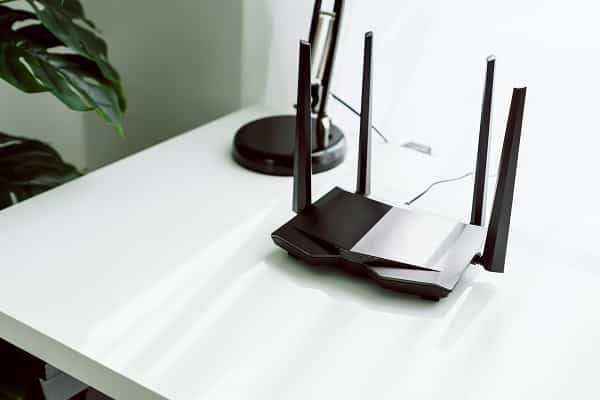
If your home WiFi signal isn’t strong enough to reach all the corners of your house, you may consider attaching a stronger antenna to your router. There are a few things to keep in mind before you take this step. First, check with your internet service provider to see if they have any recommendations for compatible antennas. Second, determine where you want to place the antenna. It should be placed as high as possible and in an open area for the best results.
Third, consider the type of antenna you need. There are two main types: omnidirectional and directional. Omnidirectional antennas broadcast signals in all directions, while directional antennas focus the signal in a specific direction.
Fourth, once you’ve selected and installed your new antenna, test the signal strength in different areas of your house to ensure it’s strong enough. With some research and planning, attaching a stronger antenna to your WiFi router can significantly improve your home WiFi signal.
Try These Methods To Boost Your WiFi Signal!
If you’re dealing with a weak WiFi signal, there are a few things you can do to try to improve it. By considering all the different options on this list, you should be able to find a solution that works best for you and your home network. Remember that starting with a solid and stable internet connection is the best way to boost your WiFi signal. Once you have that, you can look for ways to improve your network performance.