In a fast-paced world where time is of the essence, productivity is not just about working harder but also smarter. This is where the iPhone comes in, not just as a device for staying connected but as a pivotal tool for efficiency. With its sleek interface and many features, the iPhone can be a powerhouse for those looking to streamline their day and maximize their output. However, unlocking this potential requires more than just casual use. From Siri’s intelligent assistance to mastering organizational skills, this article will guide readers through various strategies to elevate their productivity.
Contents
Utilize Siri for Scheduling and Reminders

Harnessing the power of Siri can be a game-changer for staying on top of tasks. The convenience of setting reminders and calendar events with a simple voice command can save precious minutes throughout a busy day. Siri’s advanced voice recognition allows for the quick creation of reminders, whether for a meeting next week or a grocery list for tonight. What’s more, Siri can be asked to remind you of something when reaching a specific location, ensuring tasks are remembered precisely when they need to be.
Beyond reminders, Siri can send emails, make calls, and even handle complex queries, all hands-free. This is particularly useful when one’s hands are tied, quite literally, and immediate attention to a task is needed. The AI assistant learns from habits, offering personalized suggestions and alerts based on daily routines. By effectively utilizing Siri, users can transform their iPhone into a personal assistant, ready to help streamline their daily schedule.
Mastering iPhone Shortcuts for Efficiency
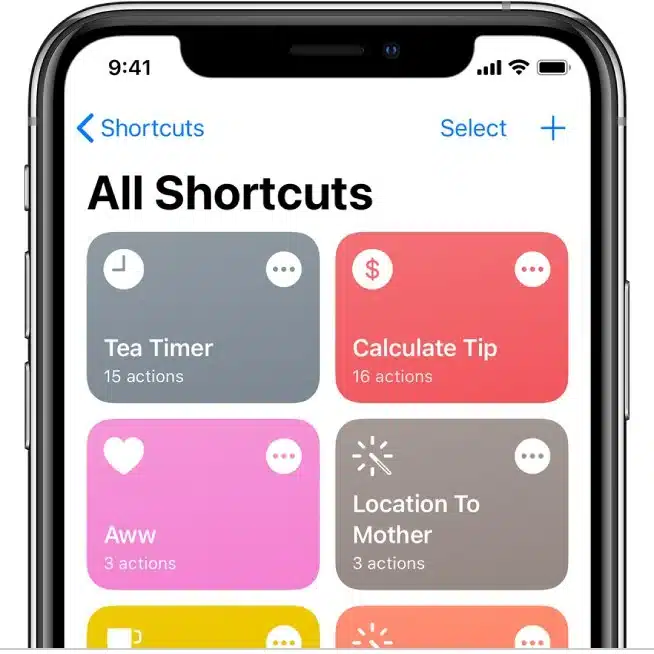
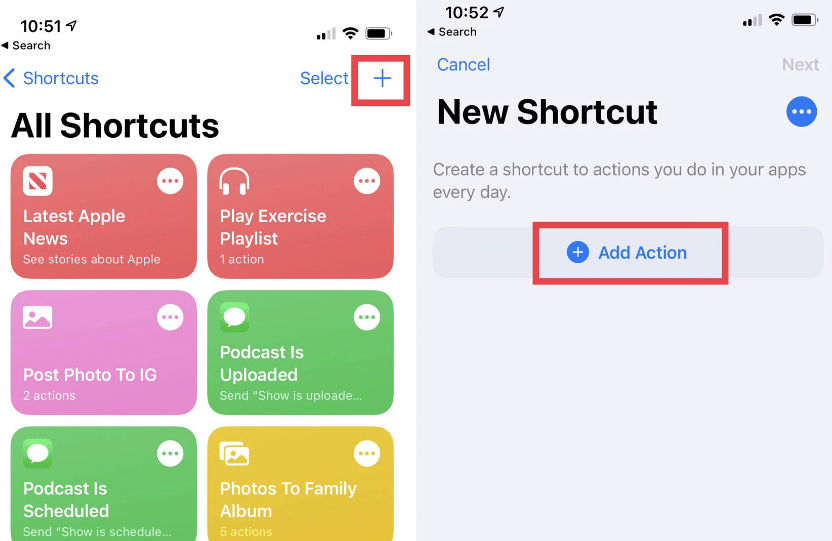
Shortcuts on the iPhone are akin to having a personal assistant who anticipates every need. With the Shortcuts app, users can automate routine tasks, from texting to starting a favorite playlist with a single tap. It’s not just about saving a few seconds here and there; it’s about creating seamless workflows that reduce the cognitive load and allow users to focus on more important tasks. The Shortcuts app comes preloaded with a gallery of suggestions, and users can customize or create new ones that fit their specific needs.
The true potential of Shortcuts lies in their ability to connect multiple apps and functions into a single command. Imagine planning a day, and with one shortcut, users can check the weather, schedule reminders, and get the fastest route to work. These powerful sequences can be activated from the home screen, widget, or even with a voice command to Siri. Through shortcuts, the iPhone becomes not just a device but a sophisticated tool that caters to the user’s lifestyle and work habits.
Organizing Apps and Notifications
A cluttered home screen can be a significant barrier to productivity. Organizing apps into folders and strategically placing them on the home screen can make navigation intuitive and efficient. It’s not just about aesthetics; it’s about creating a system allowing users to access the necessary tools without unnecessary searching or scrolling. The App Library, introduced in recent iOS versions, is a boon for decluttering, automatically categorizing apps, and allowing for a cleaner workspace.
Notifications are double-edged swords: they can keep a user informed or become a relentless source of distraction. By customizing notification settings, one can ensure they’re only alerted to what’s truly important. It is about taking control of the phone rather than letting it control you. For those times when deep focus is required, features like “Do Not Disturb” or “Focus” modes can minimize interruptions, allowing the mind to remain in the flow state, thus elevating productivity levels.
Optimizing Email Management
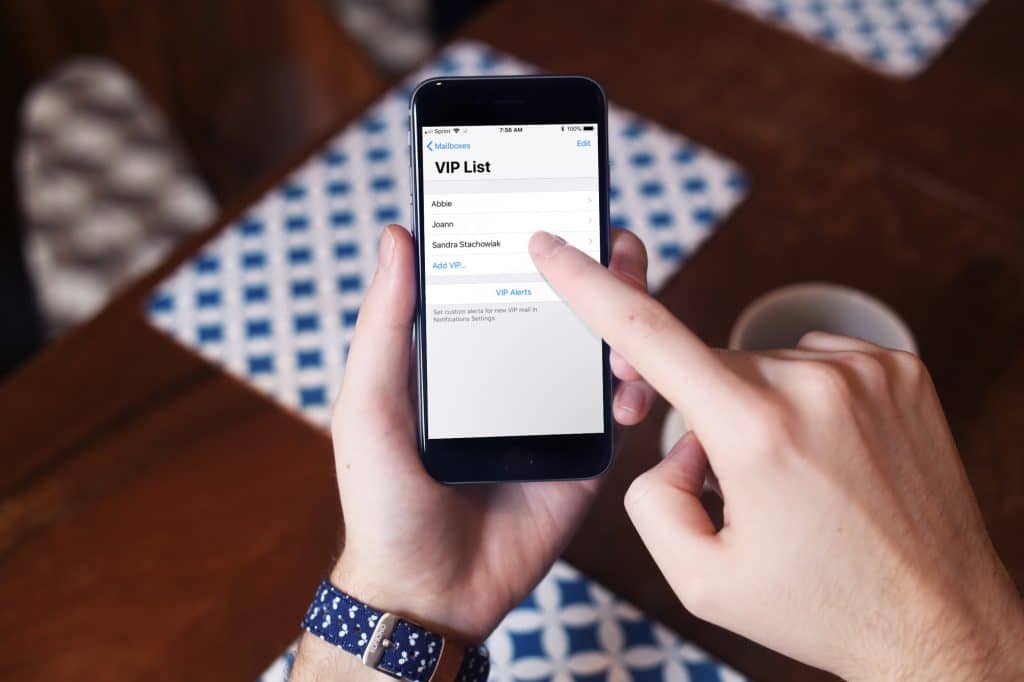
The email application is a critical tool for most iPhone users, but without proper management, it can become overwhelming. Instead of constantly reacting to an influx of messages, one can utilize features such as VIP and Flagged emails to prioritize communication. By marking certain contacts as VIPs, their messages will automatically filter into a separate folder, ensuring important information is not lost in the shuffle. Flagging emails can also aid in keeping track of critical tasks and follow-ups.
For those seeking even more control, third-party email applications can offer additional layers of organization and efficiency. These apps often include snooze buttons for emails, scheduled sending, and even AI-driven insights to help manage your inbox. While the default Mail app on the iPhone is robust, exploring other options can lead to more tailored email management solutions that can keep pace with the demanding workflow of modern professionals.



