Devices rarely become slow all at once. In most cases, performance issues develop gradually due to everyday habits that seem harmless at the time. Phones, laptops, and tablets are built to handle demanding tasks, but they still rely on limited resources like memory, storage, and processing power. When those resources are constantly strained by background activity, clutter, or neglected maintenance, speed and responsiveness suffer. Many people assume an aging device needs to be replaced, when in reality the slowdown is often caused by how it is used. Understanding these common behaviors makes it possible to restore performance, extend device lifespan, and avoid unnecessary upgrades.
Contents
- 1 Letting Too Many Apps Run in the Background

- 2 Ignoring Software Updates
- 3 Overloading Storage Space
- 4 Keeping Too Many Startup Programs Enabled
- 5 Using Heavy Visual Effects and Animations
- 6 Allowing Too Many Notifications
- 7 Never Restarting Your Devices
- 8 Installing Apps You Rarely Use
- 9 Letting Browsers Accumulate Tabs and Extensions
- 10 Skipping Routine Maintenance
- 11 Final Thoughts
Letting Too Many Apps Run in the Background

One of the biggest reasons devices slow down is excessive background activity. Many apps continue running even after they are no longer actively used. These apps refresh content, sync data, track location, or prepare notifications, all while consuming memory and processing power.
When too many apps run at the same time, the device struggles to prioritize tasks. This leads to lag, delayed app launches, and slower response times. Over time, background apps also increase battery drain and heat, which further impacts performance. Regularly closing unused apps and limiting background permissions allows the system to focus resources on what you are actually using.
Ignoring Software Updates
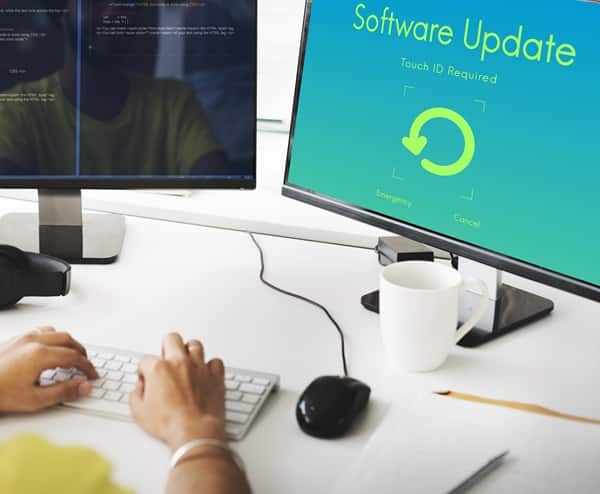
Skipping software updates is a common habit that quietly affects device speed. Updates often include performance optimizations, memory improvements, and bug fixes that help devices run more efficiently. When updates are ignored, the operating system may struggle to keep up with newer apps that expect updated system behavior.
Outdated software can also create compatibility issues, leading to freezes, crashes, or excessive background processing. Updates are not just about new features. They are essential for stability, security, and performance. Keeping both the operating system and apps updated ensures the device runs as smoothly as possible.
Overloading Storage Space

Storage plays a major role in overall device performance. When storage is nearly full, devices have less room to manage temporary files, cache data, and perform routine system operations. Photos, videos, downloads, and unused apps accumulate quickly, especially on smartphones.
Low storage forces the system to work harder to access files and manage memory. This can result in slow boot times, sluggish apps, and frequent freezes. Regularly deleting unused files, clearing caches, and removing apps that are no longer needed frees up space and allows the device to operate efficiently.
Keeping Too Many Startup Programs Enabled
On computers, startup programs are a major cause of slow performance. Many applications are set to launch automatically when the device powers on, even if they are rarely used. Each startup program consumes memory and processing power from the moment the device starts.
Too many startup programs can dramatically increase boot times and slow down overall performance. Disabling unnecessary startup apps allows the system to load faster and operate more smoothly. Periodically reviewing startup settings prevents clutter from building up unnoticed and keeps the device responsive.
Using Heavy Visual Effects and Animations

Modern devices often include visual features like animations, transitions, live wallpapers, and dynamic effects. While these features look appealing, they require continuous processing power and memory usage. On older or budget devices, these visual effects can noticeably slow down performance.
Excessive animations may cause lag when switching apps, opening menus, or navigating the interface. Reducing motion effects, disabling unnecessary animations, and using static wallpapers helps free up system resources. Simplifying visual settings allows devices to focus on functionality rather than appearance.
Allowing Too Many Notifications

Notifications may seem insignificant, but they trigger background activity every time they appear. Apps frequently check for updates, sync data, and push alerts, waking the device repeatedly throughout the day. Over time, this constant activity contributes to slower performance and increased battery usage.
Limiting notifications to essential apps reduces unnecessary background processes. Turning off alerts for rarely used apps helps keep the system focused and responsive. Fewer notifications mean fewer interruptions and less strain on device resources.
Never Restarting Your Devices

Many people leave their devices running continuously for long periods without restarting. While modern devices are designed to handle extended uptime, restarting clears temporary files, resets memory usage, and stops background processes that may have become inefficient.
Over time, memory leaks and stuck processes can slow down performance. A simple restart refreshes the system and often resolves minor issues like lag, freezing, or delayed responses. Restarting devices regularly is one of the easiest ways to maintain smooth performance.
Installing Apps You Rarely Use

Downloading apps for temporary use and forgetting to remove them later is another common habit that slows devices down. Even unused apps can occupy storage, run background services, or update automatically. This adds unnecessary load to the system.
Over time, unused apps contribute to clutter, increased background activity, and slower performance. Periodically reviewing installed apps and uninstalling those no longer needed keeps devices lean and efficient. Fewer apps mean fewer updates, fewer background processes, and more available resources.
Letting Browsers Accumulate Tabs and Extensions

Web browsers are often overlooked as a source of slowdowns. Keeping dozens of tabs open consumes memory and processing power, especially on devices with limited resources. Browser extensions can further slow performance by running scripts in the background.
Too many tabs and extensions increase load times, reduce responsiveness, and may cause crashes. Closing unused tabs, disabling unnecessary extensions, and clearing browser data improves speed and stability. Browsers perform best when kept organized and minimal.
Skipping Routine Maintenance

Devices benefit from basic maintenance just like any other tool. Ignoring tasks such as clearing cache files, managing storage, or checking system settings allows inefficiencies to build up over time. Small issues compound until performance noticeably suffers.
Routine maintenance keeps systems running smoothly. Taking a few minutes each month to review storage, background permissions, and app usage prevents major slowdowns. Consistent upkeep extends device lifespan and maintains responsiveness.
Final Thoughts
Devices slow down not because they are poorly designed, but because everyday habits gradually strain their limited resources. Background apps, full storage, ignored updates, excessive notifications, heavy visuals, and lack of maintenance all contribute to reduced performance. The good news is that most slowdowns are reversible. By adjusting how devices are used and maintained, speed and responsiveness can often be restored without costly replacements. Small changes make a big difference, helping devices stay fast, reliable, and enjoyable to use for years longer.