Contents
Utilizing Disk Cleanup and Defragmentation

Disk cleanup tools are essential for removing unnecessary files that clutter the system and consume valuable disk space. Users should regularly use built-in cleanup utilities to remove old system files, temporary files, and offline web pages. Defragmentation can also help reorganize data more efficiently, speeding up file access.
Setting a schedule for regular cleanup and defragmentation tasks ensures that your hard drive remains efficient and free from excessive data build-up. This regular maintenance can be automated in many systems, ensuring that it occurs consistently without manual input, thus maintaining optimal data retrieval speeds and system responsiveness.
Managing Your Files Efficiently

Efficient file management is crucial for maintaining system performance. Properly organizing files and folders ensures that systems remain organized and that data is easily accessible. Users should regularly review and organize their files and consider archiving old, rarely used files to external storage solutions to free up space on the main drive.
Archiving is especially important for those who handle large files regularly, such as video editors and photographers. Removing and archiving old files not only frees up space but also reduces the load on the system’s primary storage, allowing for quicker access and processing of current files.
Protecting Against Malware

Protecting your PC from malware is essential for both performance and security. Effective antivirus software can prevent, detect, and remove malware, which can significantly degrade system performance. Keeping this software up to date is critical as new malware threats emerge continuously.
Additionally, practicing safe browsing habits plays a crucial role in malware prevention. Users should be wary of downloading files from unknown sources or clicking on suspicious links, as these are common methods for malware to infiltrate systems. Regular scans and mindful internet usage can prevent most malware threats and keep your PC running smoothly.
Updating Hardware Periodically
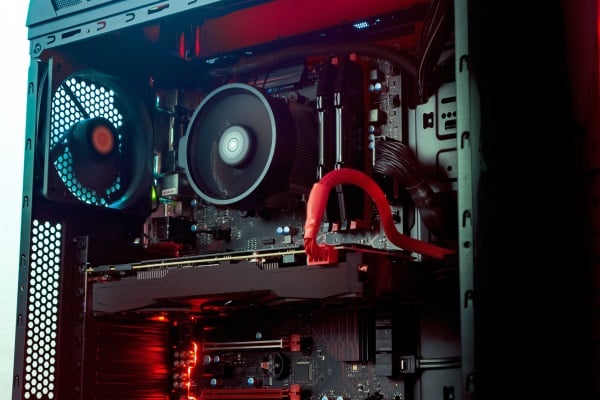
Understanding when and what hardware to upgrade can significantly enhance your PC’s performance. Signs that might indicate the need for hardware upgrades include the inability to run newer software, slow processing of complex tasks, and frequent system crashes. Upgrading components like RAM, SSDs, or graphics cards can provide a substantial performance boost for a reasonable investment.
Prioritizing hardware upgrades based on your specific performance bottlenecks allows for cost-effective improvements. For example, a gamer might benefit more from a new graphics card, whereas a professional video editor might invest in faster storage and more RAM. These targeted upgrades can extend the life of your PC and enhance its performance to meet current demands.
Keeping Your PC in Top Shape
Maintaining your PC is an ongoing process that requires regular attention and care. By following the tips outlined in this article, you can ensure that your PC runs efficiently and stands the test of time. Remember, a well-maintained PC is less likely to encounter severe issues, leading to a more reliable and enjoyable computing experience. Stay proactive; your computer will remain a powerful tool for work, play, and everything.