Navigating the myriad of location settings on your iPhone might feel like untangling a complex web at first. However, taking this step is crucial to strike a balance between convenience and privacy. Location settings play a pivotal role in how apps and system services operate. They help in personalizing experiences yet could be a potential pitfall when it comes to privacy invasion and battery drainage. With a better grasp of these settings, it becomes less of a chore and more of a step towards smarter usage and enhanced privacy. The journey from understanding the basic Location Services to fine-tuning individual app and system services settings is indeed a rewarding endeavor.
Importance Of Location Settings
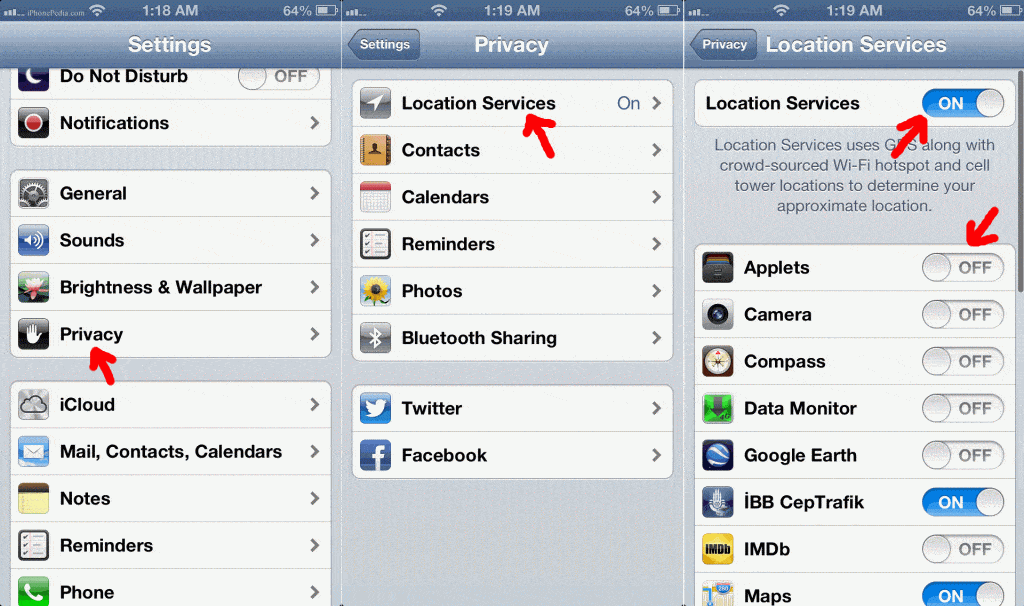
Location settings on an iPhone extend beyond just pinpointing your geographical location; they encompass a realm of functionalities that enhance user experience. From enabling accurate weather forecasts and assisting in navigation to facilitating local search results, the essence of location settings is undeniable. However, the flip side reveals concerns over privacy and battery life. With apps continuously tracking location, the threat of personal information leakage looms large.
Privacy is a treasured commodity in the digital age, and being vigilant about location settings is a stride toward safeguarding it. The user has the helm of control to dictate which apps can access location and when empowerment is essential in the contemporary era. By restricting unnecessary location access, not only is personal information shielded, but the battery life is substantially elongated, a boon for those on the go.
Understanding Location Services
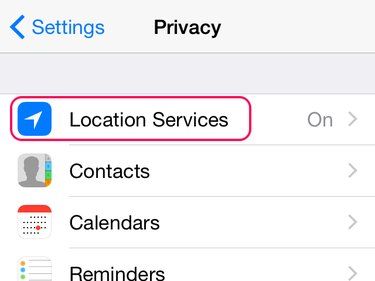
Location Services is a broad term encompassing the functionalities that require access to geographical location. This service is pivotal for the seamless operation of numerous apps like maps, weather, and local service search apps. However, not every app on the device necessitates location access to function optimally, making it essential to discern the ones that do from those that don’t.
The plethora of apps requesting location access might be overwhelming, yet a systematic review unveils the necessity behind such requests. For instance, navigation apps are bereft of utility without location access, while others, like social media apps, might not require the same level of access. This differentiation is crucial in maintaining a desirable level of privacy and optimizing device performance.
Individual App Location Settings
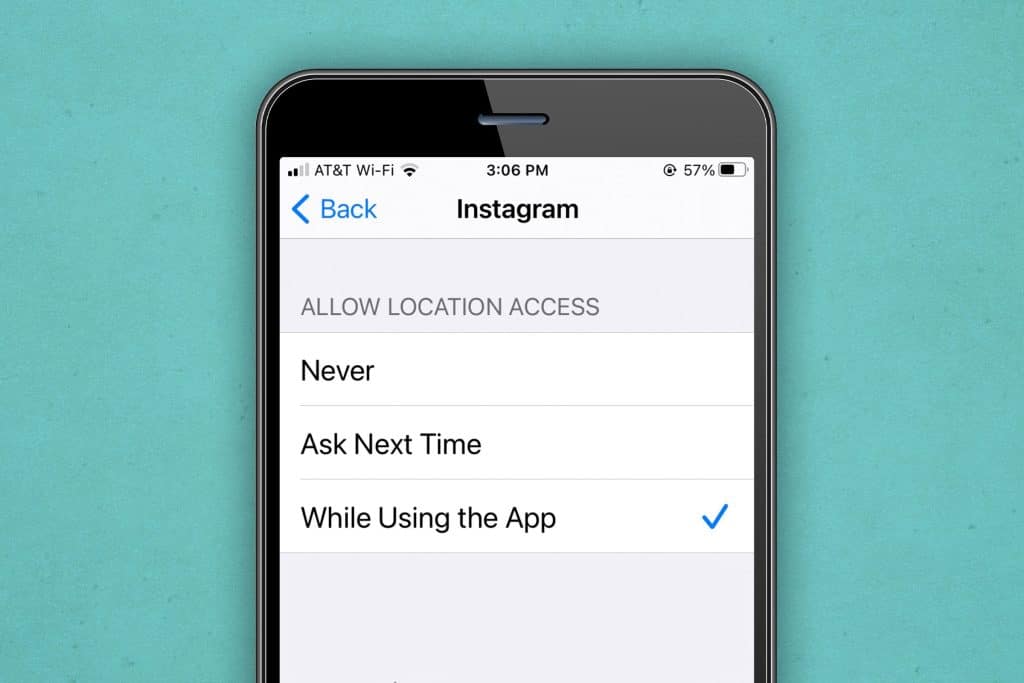
Venturing into the realm of individual app settings unveils the control at the user’s fingertips. Here, preferences can be set for each app regarding location access: “Never”, “While Using the App”, or “Always”. It’s not just about a binary choice; it’s a spectrum of control that aligns with user comfort and necessity.
Identifying the apps that truly require location access and setting preferences accordingly is the cornerstone of smart device usage. For instance, a navigation app might warrant the “Always” setting, while a game might not necessitate location access at all. This meticulous setting adjustment not only curtails the potential for privacy invasion but also aids in battery conservation, achieving a nuanced balance between functionality and security.