Are you struggling to get a good wifi signal in certain parts of your house? Are you constantly switching between networks or even going outside just to send a quick email? This is a common issue that so many people face. And while you may be paying for the best possible internet package, that doesn’t mean it will always work how it is supposed to! So if you want a little boost, the following tips will help you improve your wifi signal!
Contents
How A WiFi Signal Works

WiFi signals are transmitted using radio waves, just like the signals broadcast by AM/FM radio stations and TV channels. To transmit data wirelessly, your router encodes the information into radio waves and sends them out into the air. These radio waves are picked up by your devices, which then decode the signal and allow you to access the internet. One of the key benefits of WiFi is that it uses an unlicensed spectrum, which means anyone can set up a network without worrying about obtaining a permit. However, this also means that there can be interference from other devices that are using the same frequency range.
To minimize interference, WiFi networks typically use two bands: the 2.4GHz band and the 5GHz band. The 2.4GHz band is older and has a wider range, but it is also more prone to interference. The 5GHz band is newer and has a shorter range, but it has more available channels and is less likely to experience interference. By using both bands, WiFi routers can provide a high-speed connection that is both reliable and robust.
Tips To Improve Your WiFi Signal
If you rely on WiFi for work or school, you know how frustrating it can be when your signal is weak. And while most people assume that they just need to buy a new router, that’s not always the case! There are several different things you can do to improve your WiFi signal.
Put Your Router In A Better Place

You might not realize it, but the position of your router can have a big impact on your wifi signal. If you put your router in a central location, you’ll get better coverage throughout your home. But if you put it in a corner, you might find that your signal is weaker in certain areas. Here are a few other tips for improving your wifi signal. Place your router off the floor to reduce interference from walls and furniture.
You should also avoid putting your router near electronic devices that can emit interference, such as microwaves and cordless phones. And if possible, position your router so it has a clear line of sight to all the devices connecting to it. By following these tips, you can ensure that you have a strong and reliable wifi signal throughout your home.
Get A Signal Booster
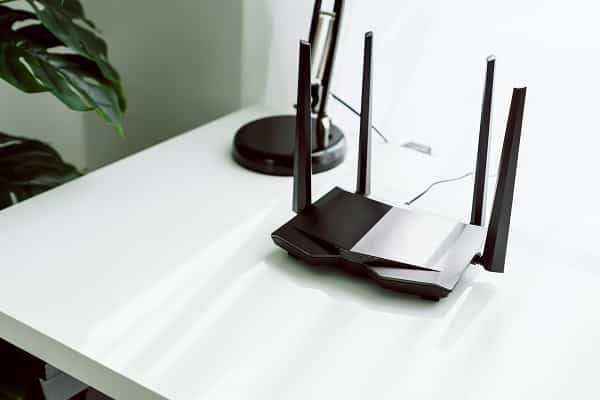
If you have tried moving your router around and are still struggling with a weak or patchy wifi signal, a signal booster can help to amplify the signal and extend its reach. A signal booster consists of an amplifier and an antenna. The amplifier is placed near the router and powered by an AC adapter, while the antenna is placed in a location where it can pick up the strongest signal. By boosting the strength of the signal, a signal booster can improve both the speed and reliability of your wifi connection.
In addition, a signal booster can also help to reduce dead spots in your home or office. So if you’re tired of dealing with a weak or spotty wifi signal, a signal booster may be the perfect solution.