Are you looking for ways to be more productive? If so, you’re in luck! This blog post will discuss some of the best tech tools to help you get the most out of your day. Technology has come a long way in recent years. As a result, several tools are available that can help you be more efficient. This article will cover various tools, from task managers to time trackers. So whether you are looking for a way to stay on top of your deadlines or want to become more mindful of how you spend your time, read on for the best tech tools to maximize productivity!
Asana
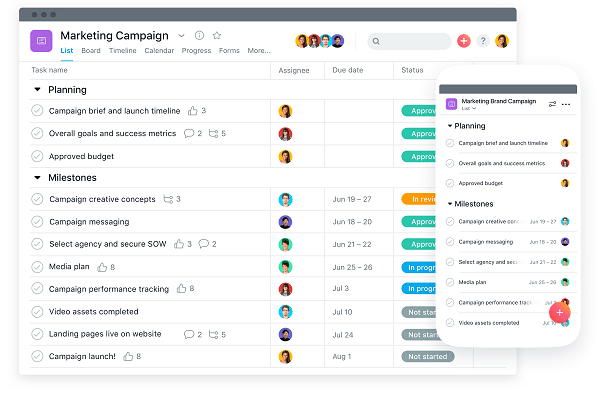
Asana is your workplace manager. It allows you to set up agendas, assign work to individuals, and keep track of each task’s status. It’s an excellent tool for organizing and optimizing your workflow. Spreadsheets are a one-stop-shop for any organization looking to manage paperwork quickly and effectively. It also gives you the freedom to check outlines, stay on top of deadlines, look at notes, and much more. It’s an excellent tool for instructors because they may make various groups and task each student with a separate assignment while monitoring the progress of everyone. Group work and communication are both easier as a result of it.
Todolist
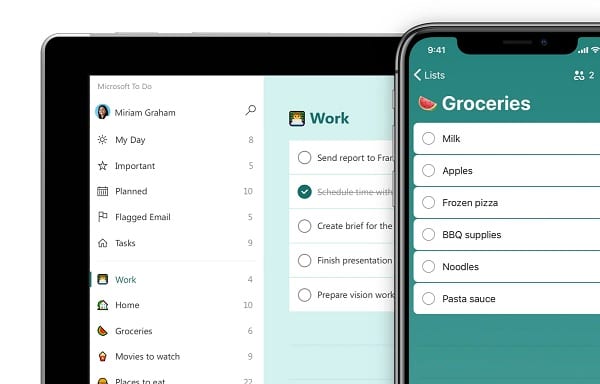
Todoist’s tagline is “Free up your mental space,” and it does just that. It allows you to take charge of your day with a customizable to-do list and activities. In addition, it helps you manage your jobs by allowing you to color-code tasks according to urgency.
Todoist is a task management software that works across various platforms. It’s one of the most flexible apps available, and it allows you to use any device or platform you like. One of the finest features about Todoist is its compatibility with numerous third-party applications, including Slack, Zapier, Dropbox, and others. Its daily and weekly reports provide information on how effective you’ve been at your job.
DropBox

Dropbox is the most secure and hassle-free way to exchange and store data. It’s a fantastic method to keep your files safe while also maintaining your privacy. The admin control tool allows you to view modifications and revisions in real-time. You may also use the Admin control feature to assign files and data to specific individuals securely. It’s an ideal method to keep all of your sensitive information in one secure location.
RescueTime
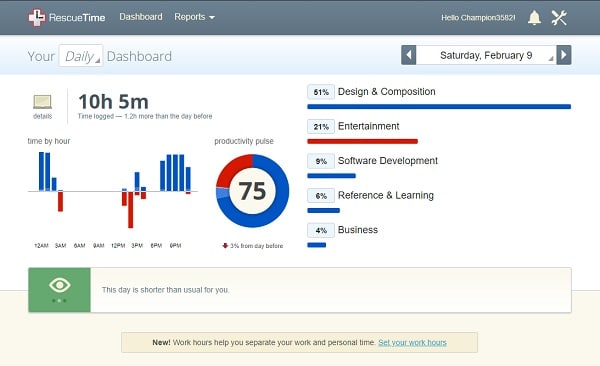
RescueTime is a time-tracking software that runs in your computer or phone background. It tracks how much time you spend on each website or application and gives you a detailed report at the end of the week. It’s important to note that RescueTime is designed to help you better understand your habits, not necessarily where you’re spending them. Nevertheless, this data may be very eye-opening and assist you in becoming more aware of how you spend your time. RescueTime can be used on a computer as well as a smartphone or a browser plugin.