Contents
Switch to a Less Congested Channel
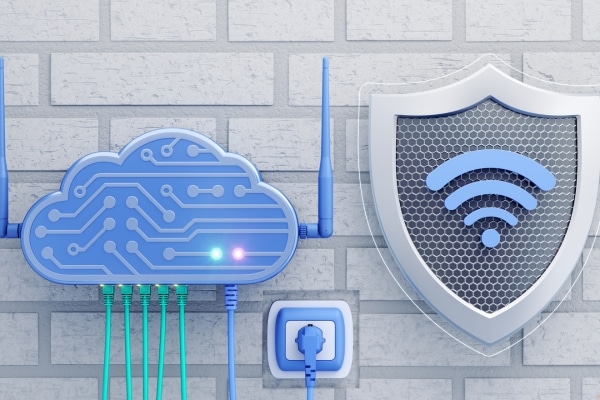
Wi-Fi routers operate on channels, and when many routers in your area are on the same or nearby channels, it can cause interference and slow down your connection. This is especially common in apartment buildings or densely populated areas where multiple routers compete for the same channels. Switching your router to a less congested channel can reduce this interference, resulting in faster and more stable speeds. Many routers have the option to automatically choose the best channel, but you can manually select a channel for even more control.
To check for channel congestion, you can use a Wi-Fi analyzer app that scans your network and shows which channels are crowded. After identifying a less congested channel, log into your router settings and change the channel manually. For even better performance, switch to the 5 GHz band instead of the 2.4 GHz band, as the 5 GHz band is less crowded and offers higher speeds over shorter distances. This simple change can improve your connection, especially in environments with many wireless signals.
Upgrade Your Router or Internet Plan
If you’ve tried all the tips above and your internet is still slow, consider upgrading your router or internet plan. Older routers may not support the latest Wi-Fi standards, limiting their ability to provide fast speeds. Upgrading to a more modern router that supports Wi-Fi 6, for example, can help you enjoy faster speeds, better coverage, and improved performance for multiple devices. Additionally, if your internet plan no longer meets your household’s needs, upgrading to a higher-tier plan could offer a noticeable boost.
When choosing a new router, look for one that supports the latest technologies, such as dual-band or tri-band Wi-Fi, and is designed to handle high-bandwidth activities. If your internet plan is consistently slow despite a new router, contact your provider to see if an upgrade to a faster plan is available. Higher-tier plans often offer more rapid download and upload speeds, which can improve streaming, gaming, and general browsing experiences. While upgrading may come with a cost, enhancing speed and performance is often well worth the investment.
Why Prevention Is Key to Long-Term Internet Speed

Once you’ve improved your internet speed, it’s important to take steps to maintain it over the long term. Regular maintenance, such as checking for firmware updates, monitoring the number of connected devices, and ensuring your router is well-positioned, can help you keep speeds fast. Avoid letting too many devices connect to your network simultaneously, and keep your home network secure with a strong password to prevent unauthorized users from slowing down your connection. Being proactive with your internet setup can prevent slowdowns and ensure you get the most out of your internet service.
In addition to monitoring your router and devices, consider investing in tools to optimize your internet, such as Wi-Fi extenders or mesh systems if you have a large home. These tools can help distribute your Wi-Fi signal evenly and reduce dead zones, ensuring you don’t experience drops in connection. Maintaining a healthy and optimized network will ensure that your internet speeds remain high, no matter how many devices you have connected or how much data you use. Prevention is the key to long-term satisfaction with your internet connection.
The Importance of Professional Assistance

Sometimes, slow internet issues may go beyond simple troubleshooting steps, and it may be time to seek professional help. Suppose you’ve tried everything, including optimizing your router placement, updating firmware, and limiting devices, and are still facing issues. In that case, a technician might be able to identify underlying problems that are hard to spot on your own. A professional can check for problems like faulty wiring, outdated equipment, or issues with your internet service provider (ISP) that may be affecting your speed. It’s also worth consulting a professional if your home’s infrastructure (such as old wiring) may be limiting your internet speed.
In some cases, your ISP may also be able to offer solutions or even upgrade your service if your current plan is not meeting your needs. If you’re experiencing frequent outages or inconsistent speeds, contacting a technician or your ISP may lead to quicker resolutions. While hiring a professional or contacting your ISP may incur additional costs, it can save you time and frustration. A technician can offer targeted solutions and help restore your connection to its optimal speed.
Achieving Faster Internet Starts with Small Changes
Improving your home internet speed doesn’t always require drastic measures. Many of the most effective solutions are simple and easy to implement, from restarting your router to optimizing its placement in your home. Regular maintenance, limiting connected devices, and upgrading outdated equipment can all lead to noticeable improvements. If you’re still experiencing slow speeds despite trying these fixes, don’t hesitate to reach out for professional assistance. With a few thoughtful adjustments, you can enjoy faster, more reliable internet in no time.

