A slow internet connection can be frustrating, especially when you need it the most. Whether working from home, streaming your favorite shows, or browsing the web, a sluggish internet speed can disrupt your entire experience. Fortunately, improving your home internet speed doesn’t always require a technician or expensive upgrades. With a few simple adjustments, you can instantly boost your connection and enjoy faster speeds. In this article, we’ll cover seven practical ways to improve your home internet speed so you can return to surfing the web without interruption.
Contents
Restart Your Modem and Router
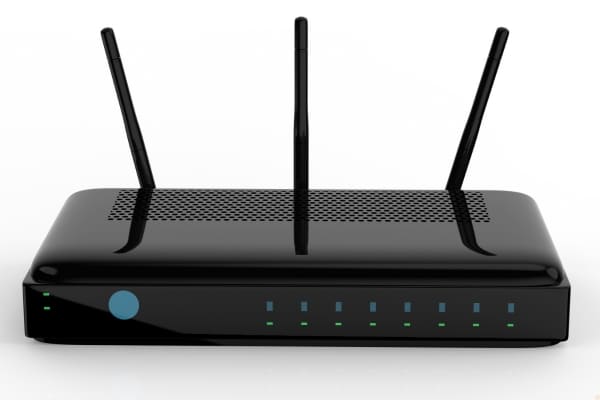
One of the quickest and easiest ways to improve your internet speed is by restarting your modem and router. Over time, these devices can accumulate temporary errors, which may cause slowdowns in your connection. Turning off both the modem and router for about 30 seconds and then turning them back on gives them a fresh start. This simple reboot clears the memory, resets connections, and often resolves issues that lead to slower speeds.
Many overlook this step, but it’s often the key to fixing minor internet speed problems. Restarting your modem and router can clear out any congestion caused by your devices or network, allowing them to function more efficiently. If you’re experiencing slow speeds, don’t hesitate to try this solution before diving into more complicated fixes. It’s a quick, cost-free fix that can often make a noticeable difference in your internet speed.
Move Your Router to a Central Location

The location of your router plays a crucial role in the quality of your internet signal. Placing your router in a corner or behind obstacles, like walls or furniture, can severely weaken your Wi-Fi signal. Ideally, your router should be placed in a central location, preferably elevated, to ensure even coverage throughout your home. The closer your devices are to the router, the stronger and more reliable your connection will be.
If your router is currently tucked away in a far corner of your house, try moving it to a more open, central spot. This simple step can significantly improve signal strength and reduce interference. Keep it away from large metal objects or electronics that could block the signal, such as microwaves or cordless phones. A well-positioned router is one of the most effective ways to enhance your Wi-Fi performance instantly.
Update Your Router’s Firmware

Outdated router firmware can cause performance issues, including slow speeds and unstable connections. Manufacturers often release firmware updates to improve the router’s functionality and security. By regularly checking for and installing updates, you ensure that your router is running the latest software version, which can result in improved performance. These updates might also fix bugs and other problems affecting your internet speed.
Updating your router’s firmware is relatively simple and only requires accessing the router’s settings. You can do this by typing your router’s IP address into a web browser. Once logged in, check the manufacturer’s website for any available updates and follow the instructions provided. This small effort can make a noticeable difference in how fast your internet feels.
Use a Wired Connection When Possible
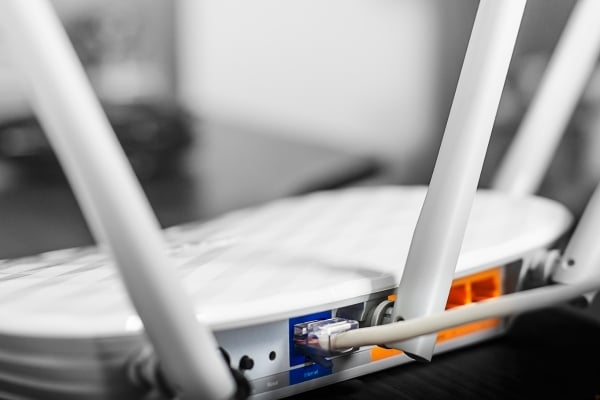
While Wi-Fi is convenient, it can sometimes be less reliable and slower compared to a wired Ethernet connection. For devices that require a stable, high-speed connection, such as desktop computers, gaming consoles, or smart TVs, using an Ethernet cable can offer a faster and more consistent internet experience. Wired connections are not subject to interference from other electronic devices or physical obstacles like walls, which makes them ideal for activities that demand high bandwidth.
Switching to a wired connection is especially helpful when engaging in activities like gaming, video conferencing, or streaming high-definition videos. If your Wi-Fi speed seems slow, try connecting devices directly to the router using an Ethernet cable to see if the speed improves. This solution bypasses Wi-Fi interference and ensures a steady connection. Using an Ethernet cable is one of the simplest and most effective ways to boost your internet speed for devices that are stationary and within reach of the router.
Limit the Number of Connected Devices
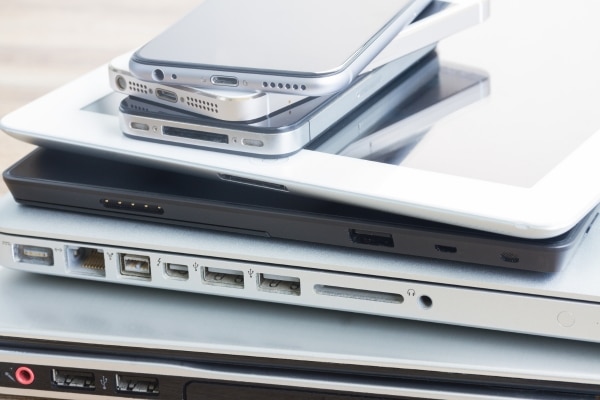
The number of devices connected to your network can significantly impact your internet speed. Every device that’s connected to your Wi-Fi, whether it’s a smartphone, tablet, laptop, or smart appliance, consumes a portion of the available bandwidth. If you have many devices using the network simultaneously, such as streaming videos or downloading files, it can slow down the speed for everyone. Limiting the number of devices connected at once can free up bandwidth and ensure faster speeds for the devices that need it most.
To manage connected devices, regularly check which devices are currently online and disconnect those not in use. You can do this through your router’s settings page or use apps that monitor your network activity. If your household or office has multiple users, consider scheduling internet-heavy activities, like large downloads or streaming, to off-peak hours. By keeping the number of connected devices manageable, you’ll reduce congestion and improve the overall performance of your network.

